- The Next Input by Cylentis AI
- Posts
- 🎮 The Next Input — Issue #151
🎮 The Next Input — Issue #151
Disney Just Walked Away from OpenAI

Aaron Bost
March 25, 2026
In partnership with


⚡ The Briefing — 60 sec
Disney exits $1 billion OpenAI deal following Sora AI video app shutdown Bye bye Mickey. Or Sora for that matter. Does SquareEnix own Sora or Disney? Loop on loop on loop.
Anthropic hands Claude Code more control, but keeps it on a leash Claude is watching cat videos on my computer RIGHT NOW. More control is cool right up until your AI coding assistant starts acting a little too comfortable in your machine.
Apple Readies Introduction of AI Agent-Like Siri Apple is finally joining the party. Siri might finally stop being the assistant you forget exists and start becoming Apple’s actual answer to the agent race.
🛠️ The Playbook — The AI Access Control Engine
Mission
Give AI tools enough access to be useful without letting them roam your systems like they pay rent.
Difficulty
Intermediate
Build time
3–5 hours
ROI
Better automation, fewer security headaches, and a much cleaner path from “interesting demo” to “trusted workflow.”
0) Why This Matters
Three things are happening at once.
First, flashy AI products can disappear or change course fast. If a billion-dollar partnership can unravel because one product gets shelved, that should tell you how fragile some of these “strategic” bets really are.
Second, coding agents are getting more hands-on. Claude Code getting more control is useful, but it also sharpens the old question: how much freedom does this thing actually need?
Third, Apple joining the agent party means this is not just a niche developer story anymore. Agent-like behaviour is moving into the mainstream consumer stack.
That means the real job now is not just adopting AI.
It is deciding:
what the tool can access
what it can do by itself
what still needs approval
what happens if the product changes, disappears, or gets weird
1) Architecture
Component | Tool | Purpose | Owner | Failure mode |
|---|---|---|---|---|
Access layer | SSO / API keys / permissions | Controls what the AI can see and touch | IT | Too much access granted |
Sandbox layer | Dev container / isolated environment | Keeps risky behaviour away from production | Engineering | AI runs loose in live systems |
Workflow router | LangGraph / automation layer | Decides which tasks are assist, approval, or autonomous | Product / Ops | Wrong workflow gets automated |
Approval layer | Teams / dashboard / email review | Adds a human checkpoint for risky actions | Team lead | Humans wave through bad actions |
Vendor tracker | Airtable / spreadsheet | Tracks dependencies, pricing, and shutdown risk | Operations | Team gets blindsided by vendor changes |
Audit log | Database / logs | Records actions, approvals, and failures | Security / Ops | No traceability when something breaks |
2) Workflow
List every AI tool your team is using and what systems it can currently access.
Classify each workflow as assist-only, approval-required, or limited autonomy.
Put anything action-taking into a sandbox before it touches live environments.
Add human approval for customer-facing, financial, legal, or production-adjacent actions.
Track vendor dependency and product volatility alongside normal workflow metrics.
Increase access only after the workflow proves it can behave.
3) Example Prompts
Access Scope Prompt
You are reviewing an AI workflow before broader rollout.

For the workflow below, identify:
- what systems the AI needs access to
- what permissions are excessive
- what should remain sandboxed
- where human approval is required
- the top 5 risks

Workflow:
[insert workflow here]
Autonomy Prompt
You are classifying workflow steps by control level.

For each step, label it as:
- assist only
- human approval required
- limited autonomy allowed

Then explain:
- why it belongs there
- what could go wrong
- what safeguard is required
Vendor Risk Prompt
You are assessing vendor dependency risk.

For the product below, identify:
- what breaks if the feature is shut down
- what workflows depend on it
- what fallback should exist
- whether the team is too dependent on one vendor

Product:
[insert product]
Human Review Prompt
Prepare a concise review brief for a human approver.

Include:
- requested action
- systems affected
- level of risk
- why review is needed
- approve / reject options

Keep it short and operational.
4) Guardrails
Never give an AI tool live production access on day one.
Treat sandboxing as mandatory, not optional.
Keep humans in the loop for anything high-impact.
Assume vendors can change direction fast.
Track permission creep just like you track cost creep.
Build fallback options before a tool becomes mission-critical.
5) Pilot Rollout — 3 hours
Pick one AI workflow that already saves time but feels slightly too loose.
Map every app, file, and system it can access today.
Rebuild the workflow into three levels: assist, approve, autonomous.
Move all autonomous behaviour into a sandboxed environment.
Run 10–15 real examples and record where humans had to intervene.
Tighten permissions before expanding the workflow any further.
6) Metrics
Number of workflows classified by control level
Percentage of AI actions requiring approval
Override rate on semi-autonomous tasks
Time saved per controlled workflow
Vendor dependency score
Permission creep incidents
Number of fallback paths in place
Pro Tip: The problem is rarely that the AI is smart. The problem is usually that someone gave it access before it had earned trust.
🎯 The Arsenal — Tools & Platforms
Claude Code · increasingly capable coding assistant with tighter control options · TechCrunch
LangGraph · orchestration layer for separating assist, approval, and autonomous steps · LangGraph
Airtable · simple tracker for workflows, permissions, and vendor risk · Airtable
Apple Intelligence / Siri · one to watch as Apple shifts Siri toward more agent-like behavior · PYMNTS
Sandbox environments · boring but essential when AI tools start getting adventurous · Docker
Copy-paste prompt block:
You are helping me design an AI Access Control Engine.

For the workflow below:
1. identify every system the AI touches
2. classify each step as assist-only, approval-required, or limited-autonomy
3. identify what must remain sandboxed
4. identify where human approval is mandatory
5. identify the top 5 vendor-dependence risks
6. propose a fallback plan if the tool is shut down or changed
7. design a 2-week pilot

Workflow:
[insert workflow here]

Return the answer in markdown with sections for:
- Workflow summary
- Access map
- Control levels
- Sandbox rules
- Human approval points
- Vendor risks
- Fallback plan
- Metrics
💡 Free Office Hours
If you are trying to use AI tools with more power and less chaos, I run free office hours to help map the workflow, permissions, and control layer before things get weird.
Book here: https://calendly.com
Your Docs Deserve Better Than You
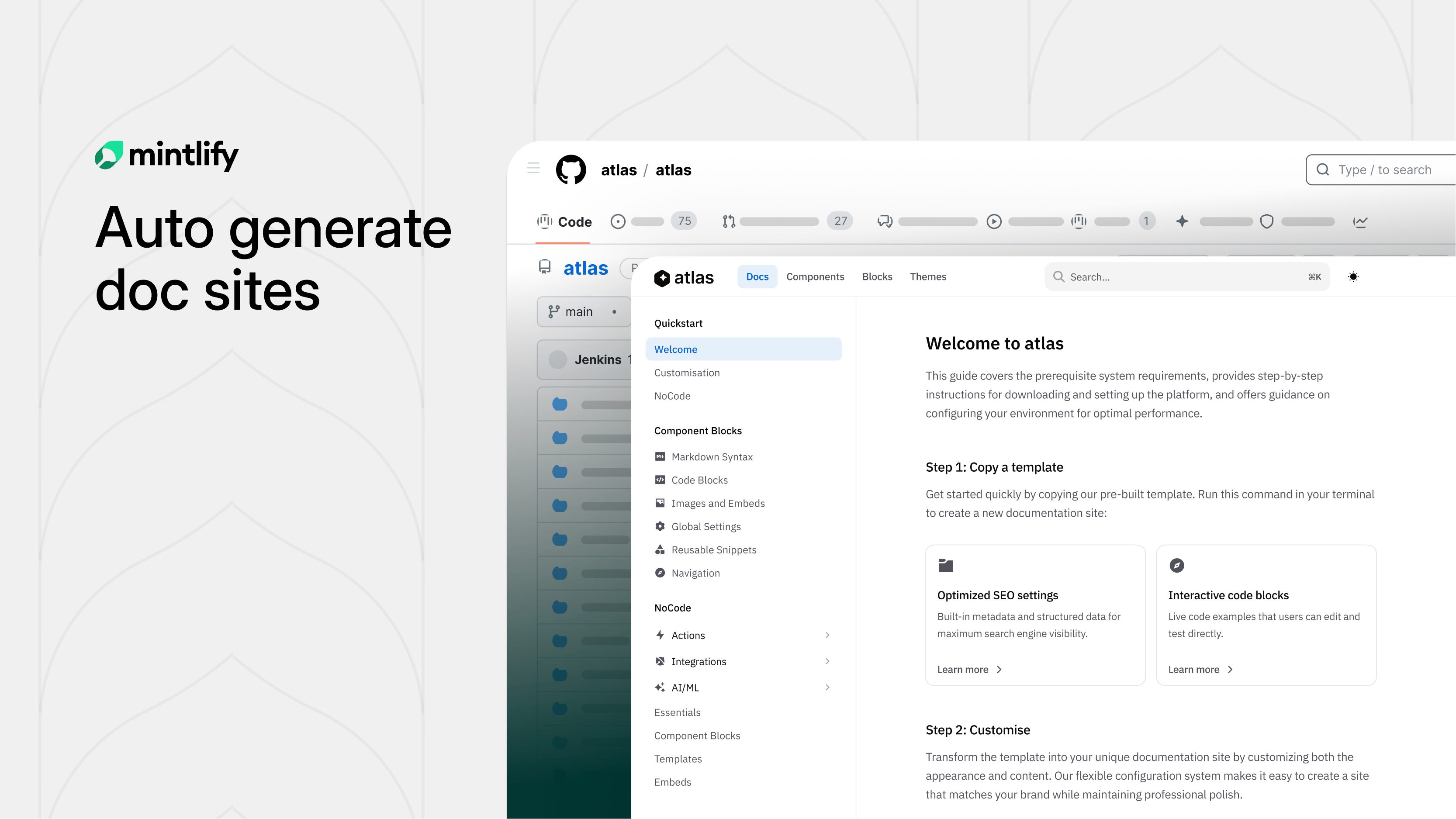
Hate writing docs? Same.
Mintlify built something clever: swap "github.com" with "mintlify.com" in any public repo URL and get a fully structured, branded documentation site.
Under the hood, AI agents study your codebase before writing a single word. They scrape your README, pull brand colors, analyze your API surface, and build a structural plan first. The result? Docs that actually make sense, not the rambling, contradictory mess most AI generators spit out.
Parallel subagents then write each section simultaneously, slashing generation time nearly in half. A final validation sweep catches broken links and loose ends before you ever see it.
What used to take weeks of painful blank-page staring is now a few minutes of editing something that already exists.
Try it on any open-source project you love. You might be surprised how close to ready it already is.
🕹️ Game Over
The next AI flex is not more power. It is knowing exactly how much leash to hand over.
— Aaron Automating the boring. Amplifying the brilliant.
Subscribe: link